A little less HUD, a little more world
Walk up to something. The actions you can use appear beside an icon: drive, sit, talk or open the market. Drive away and those prompts go away. A delivery replaces the market prompt with its destination distance; a repair points you towards the work. Boost belongs to the car. On a court, N joins or rests a match, J charges a shot, and K changes between passing, calling for the ball and tackling. A compact score/time panel replaces the minimap there.
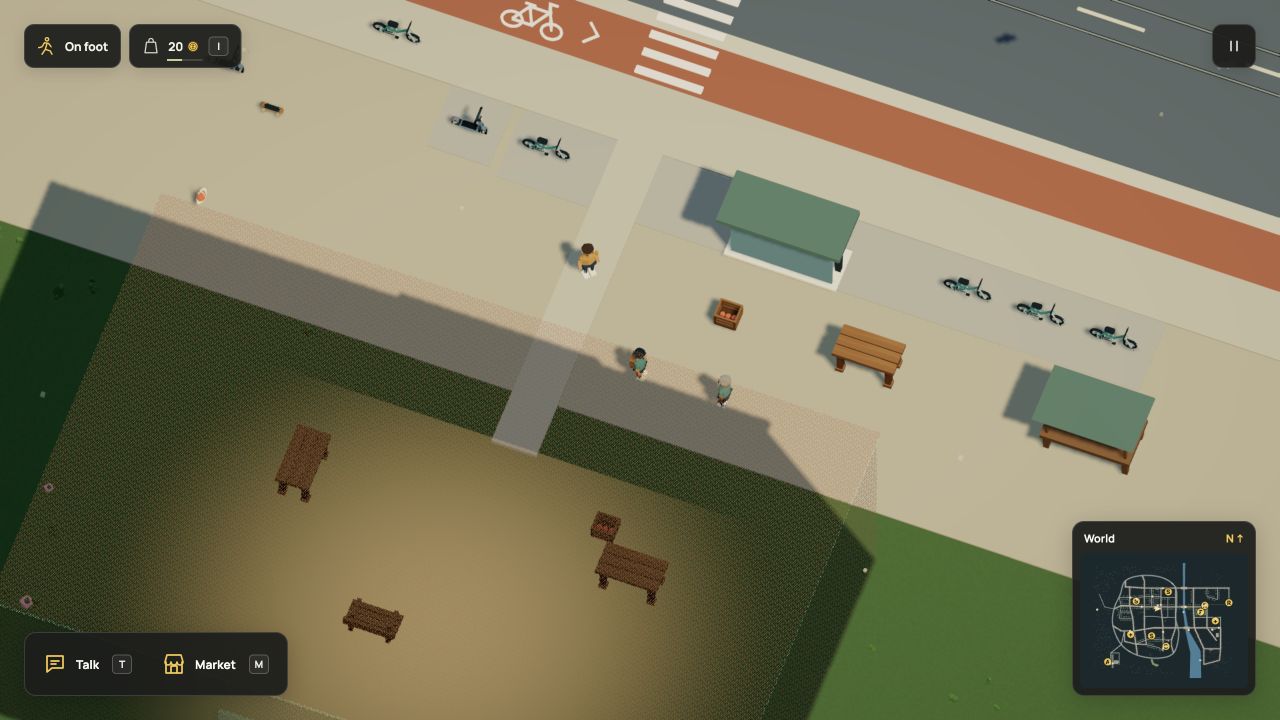
The bag button keeps your wallet visible. The coin icon means game currency;
the same unit is called credits in Dream source. I opens it. M opens nearby
activities or the current task. Escape closes that panel before pausing the
game. Existing transaction shortcuts still work with the panel closed. + / − zoom
the camera and 0 resets manual framing; pinch and scroll still work.
Open the part you need
| View | When it appears | What you can do |
|---|---|---|
| Shop / Stock | Beside a counter on foot | Inspect stock; buy or sell when it has retail offers |
| Work | Beside a workplace, or during a task | Choose work, collect cargo, hand it over or inspect progress |
| Bag | While playing | Inspect carried items; eat or share food when the ordinary rules allow it |
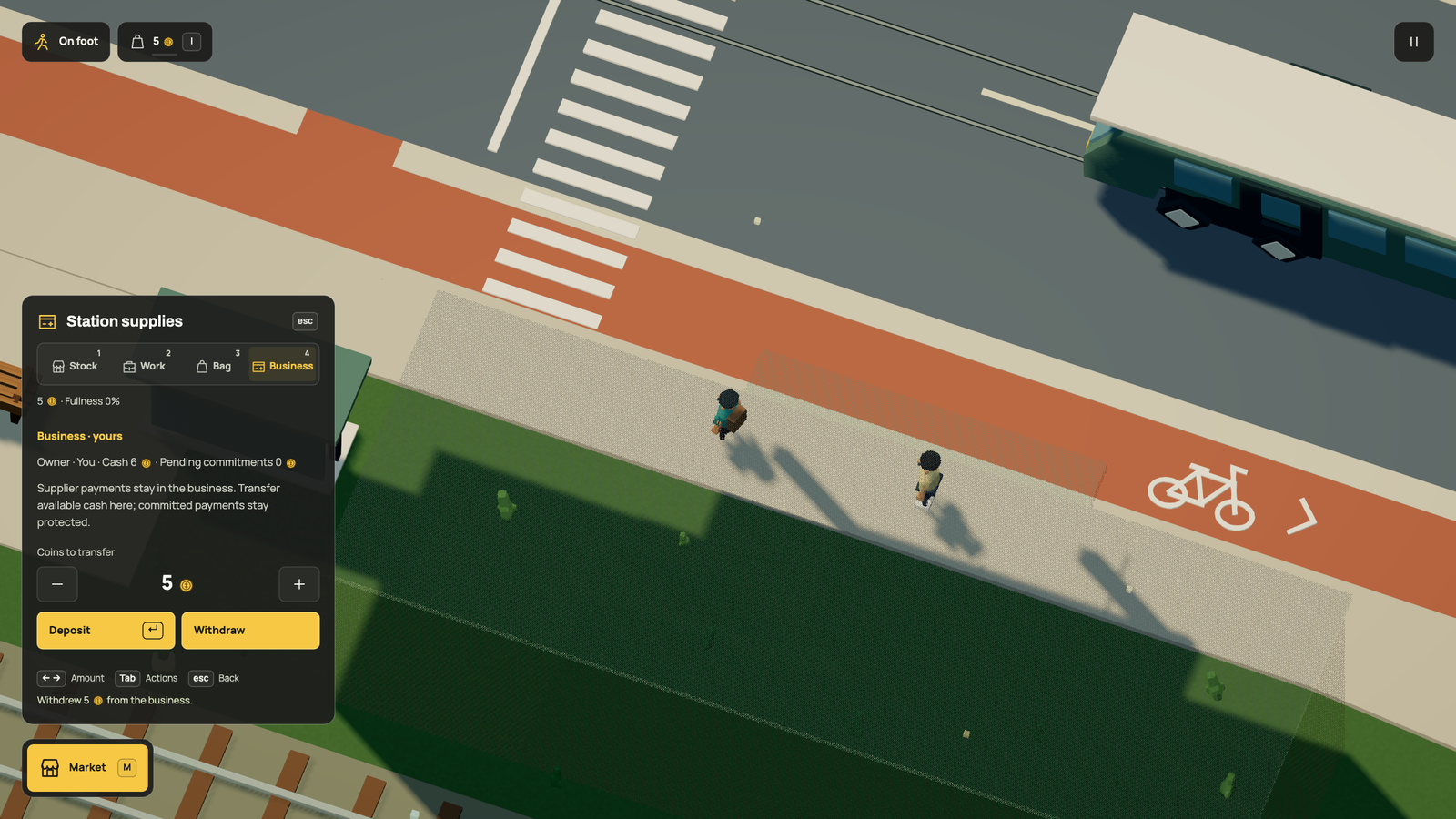
| Business | Beside a counter with an authored owner | Inspect the sale, buy it or transfer company cash |
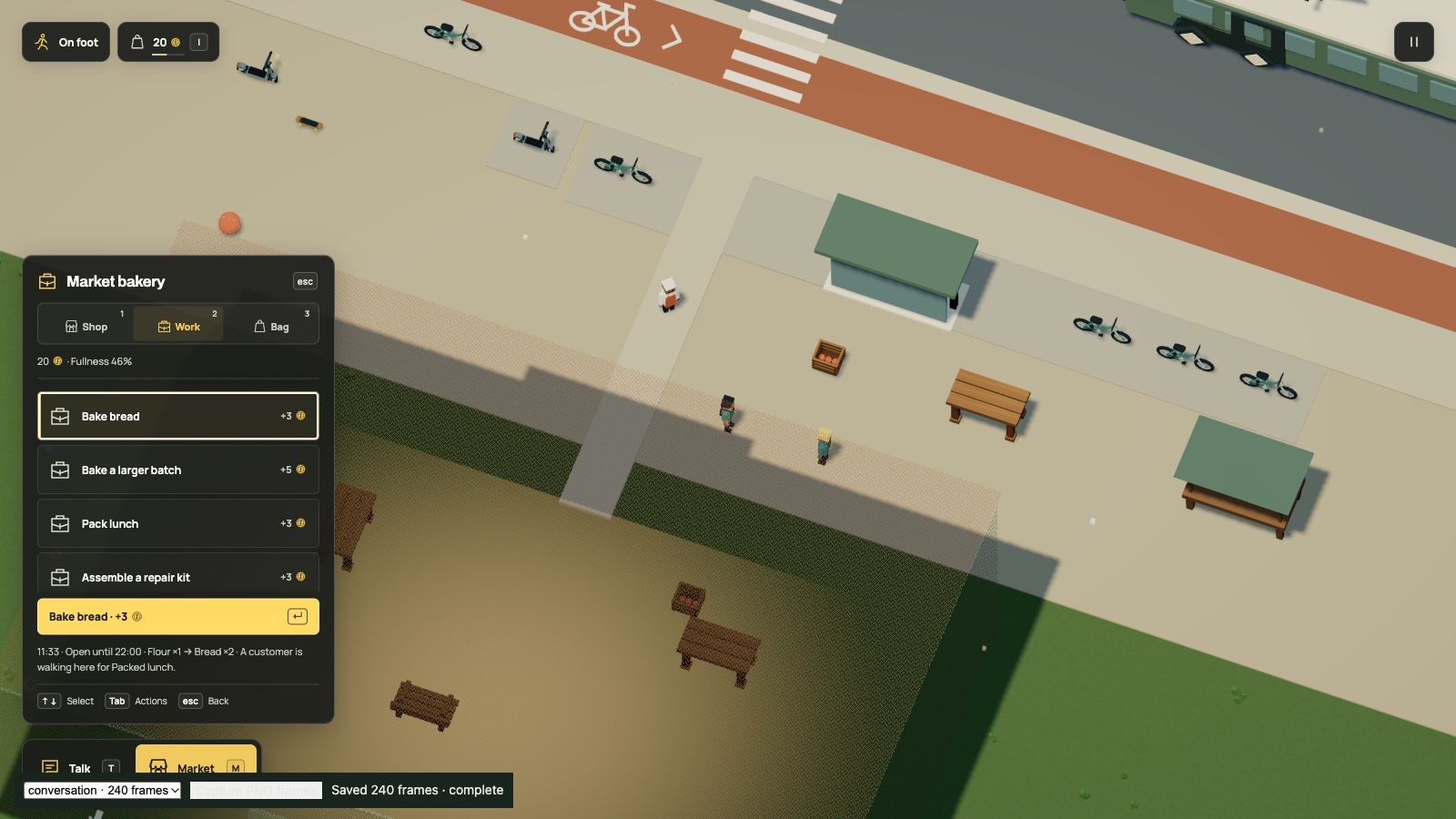
Only one view is visible. A committed task hides new shopping and business transfers until it finishes; a shared meal shows its meal controls. Moving out of range, changing control modes or pausing closes it. Opening a panel releases held movement and shot controls. Item slots replace dropdowns. Use arrow keys or WASD to select, then Enter to buy, eat or start the selected activity. 1–4 select the available sections; Q/E cycle between them. Tab / Shift+Tab reach secondary actions, such as selling, cancelling or closing. Business transfers use left/right to change the coin amount (Shift changes ten at a time), with Tab to choose Deposit or Withdraw. There is no number field to type into. Tab stays within the open activity panel, and keyboard focus follows a selection when a job starts or an item is used.
Menu keys cannot steer the car, jump or rotate the camera. Browser shortcuts using Command, Control or Alt remain available. The world continues while you browse, so staff, opening hours and supply trips keep moving.
The HUD uses one left alignment, a compact charcoal action dock and activity rows, Manrope labels and Archivo headings. A quiet fill and yellow text mark the current selection, with no bottom stripe; a separate light outline shows keyboard focus. The framed map stays north-up. The wallet includes a small fullness gauge; its coin icon replaces the old currency abbreviation.
The food icon uses a fork and knife with a clear gap between them. The bicycle icon shares its wheels, frame, saddle and fork with the cycle-lane stencil. Both remain legible at their small HUD sizes. Four rendered paint angles.
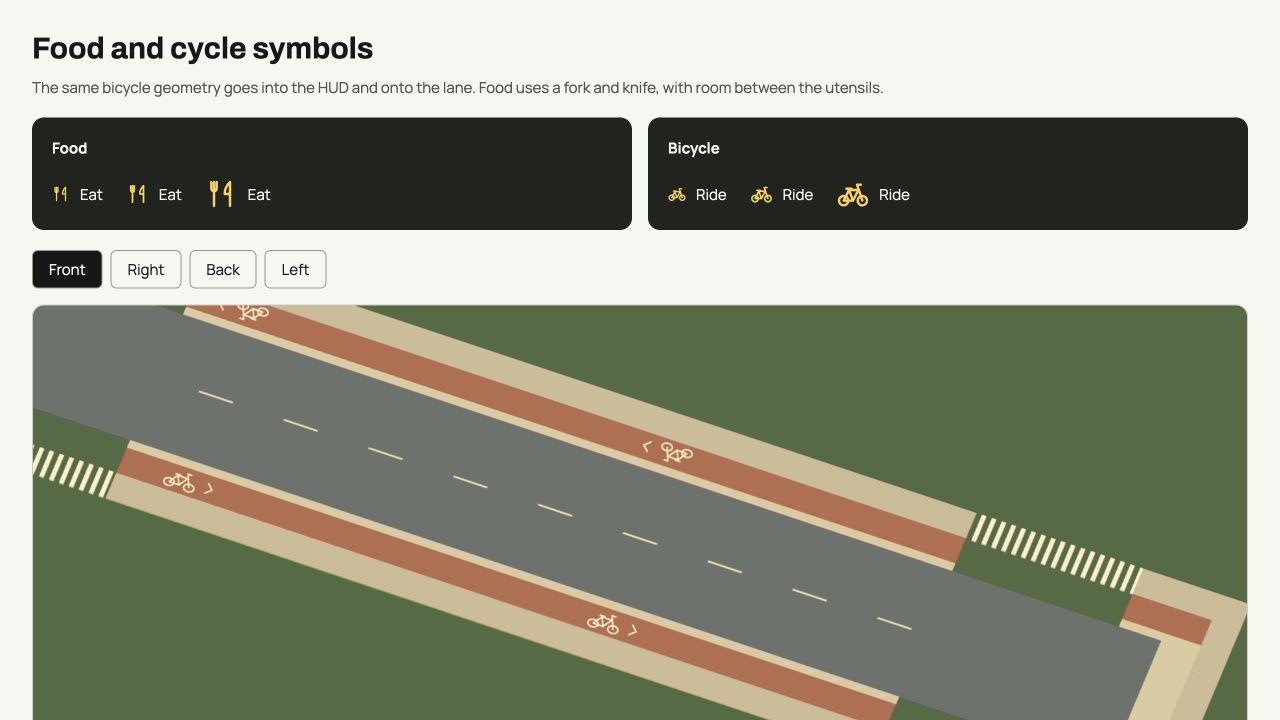
Icons have short visible labels, accessible names and keyboard hints. Disabled choices retain the engine's reason. None of this changes Dream's interaction ranges, ownership, money, inventories or physics. The UI reads the accepted world and asks the same fixed-step simulation to act.
This is a keyboard-and-pointer game. These prompts do not add touch steering or a controller binding system. Full movement controls remain under Pause → Controls. P opens Pause; its actions, controls and backup tools also work with Tab and Enter. The contextual key guide starts with the current movement or sport, then uses arrow-key sections instead of one long text list.